UPS Units, Surge Protectors, and Why They Matter More Than You Think
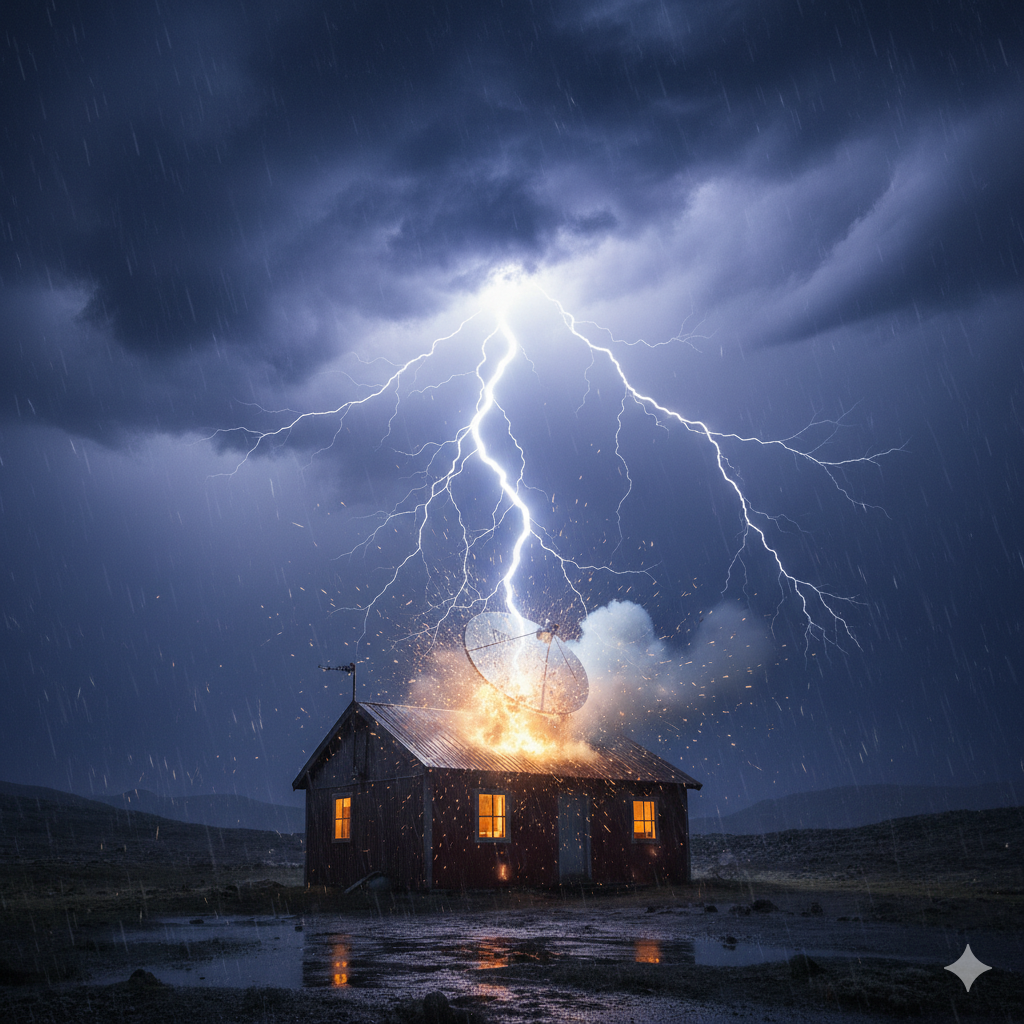
Without Power Protection You’re Going To Regret It
Starlink subscribers spend a lot of time thinking about the dish, the mount, the router, and the cable run. Almost nobody thinks about power protection until the moment they need it — which is usually the moment after a nearby lightning strike has taken out their equipment, or after a utility power fluctuation has corrupted the router’s firmware mid-update, or after the third time in a month that a brief outage interrupted a work call.
Power protection is unglamorous. It is also one of the most cost-effective investments you can make in your Starlink setup. A decent UPS and a good surge protector cost a fraction of what it would cost to replace your Starlink dish, router, and any other networking equipment connected to the same circuit — and that is before factoring in the DOWNTIME, the shipping wait, and the inconvenience of filing a damage claim.
This post covers everything you need to know about protecting your Starlink installation from the two main threats: power surges and outages.

The Two Threats: Surges and Outages
Before getting into specific equipment, it helps to understand what you are protecting against and why each threat requires a different approach.
Power Surges
A power surge is a brief spike in voltage above the normal level your electrical system is designed to deliver. Surges range from small and frequent — the kind caused by appliances cycling on and off, or by utility switching events — to catastrophic, as in a direct or nearby lightning strike.
Small surges are more common than most people realize. They happen dozens of times a day in a typical home on a utility grid, and while any individual small surge is unlikely to destroy equipment outright, cumulative exposure degrades sensitive electronics over time. The capacitors, voltage regulators, and chips inside a router or the electronics inside a Starlink dish are not designed to absorb repeated overvoltage events indefinitely.
Large surges — particularly those associated with lightning — can destroy equipment in a single event. A direct strike to your home or to the utility line serving it can send thousands of volts through your electrical system in milliseconds. Even a strike to a tree or structure nearby can induce a surge through your home’s wiring via electromagnetic induction. This type of event does not give equipment a chance to degrade gracefully. It simply destroys it.
Power Outages and Fluctuations
The second threat is loss of power itself, along with related phenomena like undervoltage (brownouts) and the brief fluctuation that occurs when power is restored after an outage. Brownouts — where utility voltage drops significantly but does not go to zero — are particularly insidious because they cause equipment to keep running while receiving inadequate power, which stresses internal components and can cause erratic behavior, crashes, or data corruption.
For Starlink specifically, power interruptions mean your internet connection goes down for the duration of the outage. If you work from home, have smart home systems that depend on continuous connectivity, or simply live in an area where outages are common, this matters considerably.
The Starlink Dish and Power: What You Need to Know
The Starlink dish is powered through the router — the power brick feeds the router, and the router delivers power to the dish over the proprietary cable. This means your entire Starlink system, dish included, is powered from a single point at the router location inside your home.
This is actually useful from a protection standpoint. You do not need to worry about separately protecting a power source at the dish location. Everything that matters from a power protection perspective is at the router end of the cable, inside your house.
The current Starlink Standard kit draws relatively modest power — around 50 to 75 watts during normal operation, with brief higher draw during startup and in cold weather when the dish heats itself. This is well within the capacity of even modest UPS hardware, which is relevant when sizing equipment.
Surge Protection: The First Line of Defense
Every Starlink installation should have surge protection at minimum. This is non-negotiable. A quality surge protector is inexpensive relative to the equipment it is protecting, and it provides meaningful defense against the everyday surges that degrade electronics over time as well as partial protection against more significant events.
What to Look For in a Surge Protector
Not all surge protectors are created equal, and the distinction between a quality surge protector and a cheap power strip that merely claims to offer protection is significant.
Joule rating. This is the most important specification on a surge protector and the one most people never check. Joules measure how much surge energy the protector can absorb before it is depleted. A protector rated at 400 joules will be exhausted by a surge that a 2,000-joule unit handles easily. For networking equipment, look for a minimum of 1,000 joules. For equipment you care about, 2,000 joules or above is a better target. Do not buy anything below 600 joules for this application regardless of price.
Clamping voltage. This is the voltage level at which the protector begins to divert surge energy away from your equipment. Lower is better — a clamping voltage of 330 volts is good, 400 volts is acceptable, anything above 500 volts is doing less work than you might hope. This specification is often buried in the fine print. Check it before purchasing.
Response time. Measured in nanoseconds, this is how quickly the protector begins clamping once a surge is detected. Good surge protectors respond in less than one nanosecond. Cheaper ones can take longer, allowing surge energy to reach your equipment before protection kicks in. Look for sub-nanosecond response time.
UL 1449 listing. This is the relevant safety standard for surge protective devices in the United States. A surge protector that is UL 1449 listed has been tested to confirmed specifications. A power strip that merely claims surge protection without this listing may offer little or no actual protection.
Indicator light. Quality surge protectors include an indicator light that shows the protection is still active. Surge protectors have a finite lifespan — after absorbing enough energy over multiple events, the protection circuitry is consumed and the device becomes a plain power strip. The indicator light tells you whether you are still protected. If the light is out, the device is no longer doing its job regardless of whether the outlets still deliver power.
Connected equipment warranty. Many reputable surge protector manufacturers offer a warranty on equipment damaged while connected to their product. The existence and terms of this warranty are a reasonable proxy for how confident the manufacturer is in the product’s actual protection capability.
Whole-Home Surge Protection
For Starlink installations in areas with frequent storms, frequent utility events, or any history of lightning-related equipment damage, a whole-home surge protector installed at the electrical panel is worth serious consideration. These devices, installed by a licensed electrician, provide a first line of defense at the point where utility power enters the home, clamping large surges before they can propagate through your home’s wiring to individual outlets.
Whole-home protection does not replace point-of-use surge protectors — it works alongside them in a layered approach. The panel-level device handles the large initial surge energy, and the point-of-use protector handles whatever residual energy gets through. This combination is significantly more effective than either approach alone.
If you are in a rural area served by Starlink — which describes a large proportion of Starlink’s subscriber base — you are statistically more likely to experience lightning-related events and utility fluctuations than an urban subscriber on a well-maintained grid. Whole-home surge protection is a particularly strong investment for this user profile.
What Surge Protection Cannot Do
It is important to be realistic about surge protection’s limitations. A direct lightning strike to your home, your dish mount, or your electrical service entrance can deliver energy that overwhelms any surge protector on the market. No consumer-grade surge protection device is rated to handle a direct strike.
What surge protection does reliably handle is induced surges, nearby strikes, utility events, and the cumulative low-level surges of everyday electrical life. This covers the overwhelming majority of real-world damage scenarios. But if you are in a very high-lightning-frequency area, surge protection alone is not sufficient — proper grounding of the dish installation (covered in our cable management post) and potentially a whole-home suppressor are important complementary measures.
UPS Units: Ride-Through Power and Cleaner Electricity
A UPS — Uninterruptible Power Supply — does more than keep your equipment running during an outage. A quality UPS also conditions the power your equipment receives, smoothing out brownouts, fluctuations, and the low-level noise that sits on utility power and affects sensitive electronics over time.
The Three Types of UPS
Understanding the different UPS topologies helps you make an informed purchasing decision. They are not all equivalent in what they protect against.
Standby (Offline) UPS
This is the most common and least expensive type. A standby UPS passes utility power directly to your equipment under normal conditions and only switches to battery power when it detects an outage or significant voltage deviation. The switching time is typically a few milliseconds — fast enough that most electronics do not notice the transition, though some very sensitive equipment can.
Standby UPS units offer solid basic protection and are appropriate for most Starlink home installations. They are compact, affordable, run quietly, and provide meaningful runtime on battery for low-draw equipment like the Starlink router and a mesh system.
Line-Interactive UPS
A line-interactive UPS adds an autotransformer to the circuit that actively regulates voltage without switching to battery power. This means that during a brownout — when utility voltage drops significantly but does not fail entirely — the UPS corrects the voltage rather than draining the battery unnecessarily. This is the important distinction from a standby unit.
For Starlink users in areas with frequent brownouts or voltage fluctuations, a line-interactive UPS is worth the modest premium over a basic standby unit. The voltage regulation capability protects your equipment during the events that are statistically most common in areas with older or rural electrical infrastructure — which again describes a significant portion of the Starlink user base.
Online Double-Conversion UPS
In an online double-conversion UPS, incoming AC power is continuously converted to DC to charge the battery, and then back to AC to power your equipment. Your equipment never runs directly from utility power — it always runs from the UPS’s own output. This provides the cleanest power possible and completely eliminates any switching time during outages.
Online double-conversion units are the gold standard for power-sensitive equipment in professional and data center environments. For a home Starlink installation, they are overkill unless you are running a home server or other equipment that genuinely benefits from laboratory-clean power. They are also larger, more expensive, generate more heat, and are noisier than the other types. Most home users are well served by a good line-interactive unit.
Sizing Your UPS: Runtime and Load Calculations
The most important practical question when buying a UPS is how much runtime you need for the load you intend to support.
UPS capacity is rated in volt-amperes (VA) and watts (W). You need to know the total wattage of everything you intend to plug into it. For a typical Starlink installation protecting the router and a mesh system:
The Starlink Standard dish and router together draw approximately 50 to 75 watts under normal operation. A two or three-node mesh system might add another 20 to 40 watts depending on the hardware. Total load for a basic Starlink networking stack is typically in the range of 70 to 120 watts.
With a 600VA / 360W UPS, this load would give you approximately 20 to 40 minutes of runtime, which is sufficient to ride out the brief outages that make up the majority of utility interruptions. Most power outages last less than five minutes.
If you want longer runtime — to maintain connectivity through extended outages, or to support additional equipment — size up accordingly. A 1000VA / 600W unit on the same 100-watt networking load would give you 60 minutes or more of runtime.
Be aware that UPS runtime claims in manufacturer specifications are typically given at a specific reference load, often 50% of rated capacity. At higher loads relative to capacity, runtime drops significantly. Calculate your actual load and look for runtime figures at that specific load, not at the marketing headline figure.
What to Plug Into the UPS
A typical UPS has two types of outlets: battery-backed outlets and surge-only outlets. The battery-backed outlets run from the UPS battery during an outage. The surge-only outlets provide surge protection but no battery backup.
On the battery-backed outlets:
Starlink router and power brick
Your primary router or mesh primary node
Any network switch in the critical path
A home automation hub if you have one and want it to remain operational during outages
On the surge-only outlets:
Laptop or desktop computer power brick (these have their own batteries or can be shut down gracefully)
Monitor or display
Any equipment that does not need to stay online during an outage
Not on the UPS at all:
Laser printers (they draw enormous power during warm-up and can overwhelm a UPS)
Space heaters, window air conditioners, or other high-draw appliances
Anything with a motor
Keeping the battery-backed load minimal maximizes your runtime for the equipment that actually needs it.
UPS Maintenance: What Most People Ignore
A UPS battery is a consumable. Lead-acid batteries in typical consumer UPS units last three to five years under normal conditions. After that, runtime degrades rapidly and the unit may fail to provide meaningful backup at all.
Most UPS units include a self-test function and a low-battery indicator, but many users install a UPS and never think about it again until the battery is dead. Add a calendar reminder to test your UPS annually and to replace the battery at the four-year mark as a precaution. Replacement batteries for most common UPS models are available and straightforward to swap — you do not need to replace the entire unit.
Some UPS models include software that monitors battery health via USB or network connection and can alert you when the battery is degrading. This is worth having if you are running a home server or other equipment where the UPS is genuinely critical infrastructure.
Protecting the Dish Cable: The Often-Forgotten Risk
As discussed in our cable management post, the cable running from your Starlink dish carries not only data but also the power the router delivers to the dish. A surge that enters through the cable from the dish end — induced by a nearby lightning strike, for example — bypasses your router’s surge protector entirely because it enters the system at the cable, not at the power outlet.
This is addressed through proper grounding of the dish installation, which we covered in detail previously. But it is worth connecting that discussion to this one: a UPS and surge protector on your router’s power inlet protect against surges arriving through the electrical system. They do not protect against surges arriving through the dish cable. Both pathways need to be addressed for complete protection.
For installations in high-lightning areas or where the dish is mounted at significant height on a pole, a grounding block on the cable run near the building entry point is the appropriate solution for the cable pathway. This is a companion measure to power protection, not a substitute for it.
Special Considerations for Off-Grid and Rural Installations
Starlink’s rural and off-grid user base faces power protection challenges that suburban and urban users typically do not.
Generator Power
Many rural Starlink users run generators as a backup or primary power source. Generator power is notoriously dirty — voltage and frequency fluctuations are common, particularly with cheaper portable generators and during startup and load transitions. Running networking equipment directly off generator power without a UPS as a buffer is asking for trouble.
A line-interactive UPS between your generator and your Starlink equipment serves double duty in this scenario: it conditions the generator’s imperfect power output and provides battery buffer during the seconds when the generator is starting up or when load transitions cause brief voltage dips. This is one of the strongest arguments for a line-interactive unit over a basic standby UPS in rural applications.
If you run a whole-home generator that kicks in automatically during outages, check whether your transfer switch is a manual or automatic type and how long the transition takes. Most automatic transfer switches take 10 to 30 seconds to switch over. A UPS covers that gap so your Starlink connection and networking equipment stay online continuously during the transition.
Solar and Battery Storage Systems
For Starlink users running solar with a battery storage system — an increasingly common configuration in the off-grid community — the power protection calculus changes considerably. A well-maintained solar battery system with a quality inverter already provides much of what a UPS offers: surge protection, voltage regulation, and ride-through during grid interruptions.
However, the quality of the inverter’s output matters. Some budget inverters produce a modified sine wave output rather than a pure sine wave, and some networking equipment — including some UPS units themselves — does not work correctly on modified sine wave power. If you are running Starlink off solar, verify that your inverter produces a pure sine wave output, or power your networking equipment from a separate pure sine wave UPS running off the solar battery bank.
Starlink’s Own Battery Backup (Where Available)
Starlink has introduced a first-party battery backup accessory in select markets that is specifically designed for the Starlink system. Where available, this is worth evaluating alongside or instead of a third-party UPS, particularly if simplicity and tight integration with the Starlink ecosystem are priorities. Check the Starlink shop for current availability in your region, as rollout has been gradual.
A Practical Shopping Checklist
Here is a consolidated summary of what a well-protected Starlink installation typically needs:
Minimum viable protection for any installation:
Recommended for most permanent residential installations:
Strongly recommended for rural areas, high-lightning regions, and frequent outage areas:
All of the above, plus a whole-home surge protector at the electrical panel installed by a licensed electrician
UPS with USB monitoring capability and software to track battery health
For generator users:
A line-interactive UPS between generator output and all networking equipment, sized to cover the generator startup gap
Final Thoughts
Power protection is one of those investments that delivers its value invisibly. When it is working correctly, you never notice it. Your equipment just keeps running, your connection stays up, and your hardware lasts as long as it is supposed to. The only time you become aware of it is when you need it — and at that point, having it in place is the difference between a non-event and a frustrating and expensive equipment replacement process.
The math is straightforward. A quality surge protector and a decent line-interactive UPS together cost less than the Starlink service fee for two months. They protect equipment worth several hundred dollars at minimum, and they protect your connectivity during the brief outages that utility infrastructure delivers without warning.
Protect your equipment once, properly, and move on. There are better things to worry about.


